
If you are looking for the audio video equipment guide, click here.
There is likelihood that the computer you already have is compatible with the technologies needed for online hearings. Generally, for the purpose of online hearings, your computer would need to be compatible with Zoom. Their system requirements are as follows:
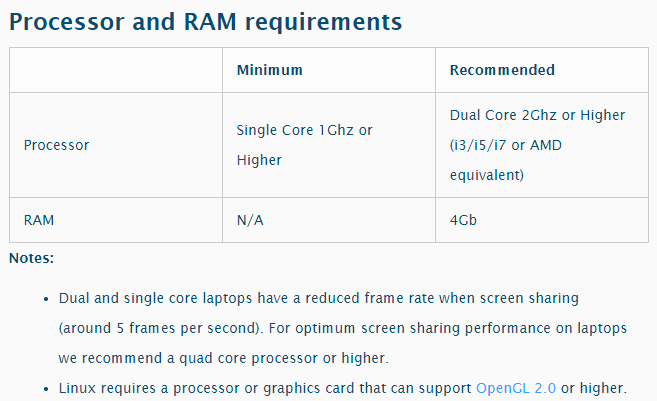
To check if your computer is Zoom ready do the following.
Firstly, check your computer specifications:
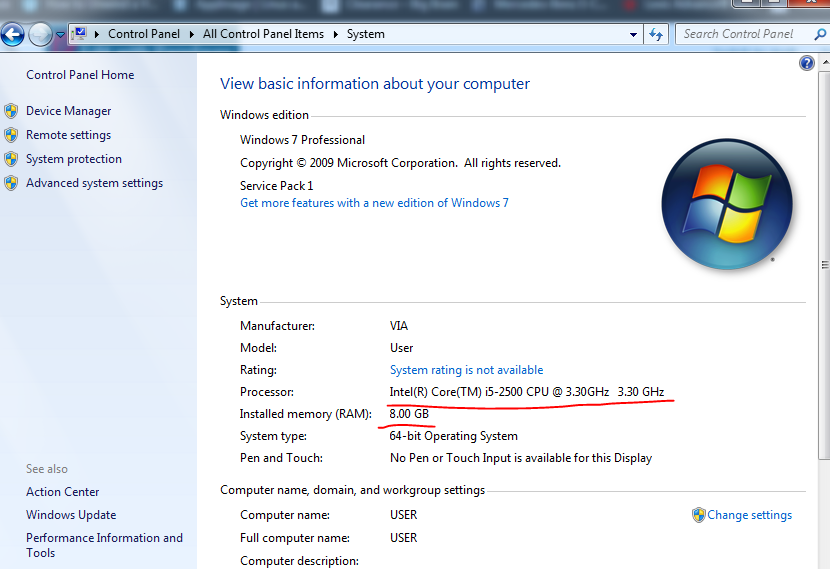
If you are using Windows 7:
- Click on the start menu. You should have a control panel option on the right of the start menu.
- Click on Control Panel, and a new window will open. You can access all the Control Panel utilities from there. The first utility listed is System and Security.
- Click on System and Security. A new menu will open, and you can then click on System.
- Clicking on System will show your computer specifications like below.
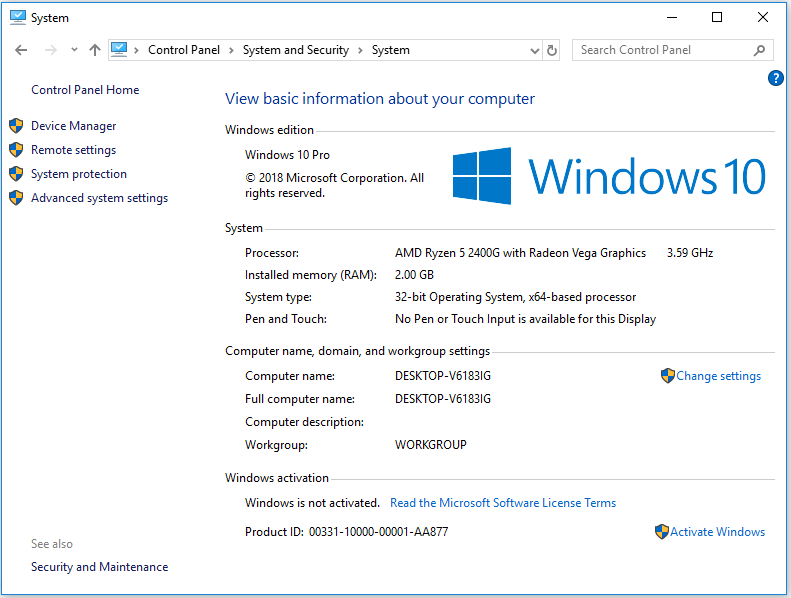
If you are on Windows 10:
- Click the Start button and choose Settings (it's the gear-shaped icon above the power icon).
- Click "System."
- Click "About." and the window below will appear.
So, is my computer compatible?
If the results from the above checks say any of the following, then your computer is compatible -
- Intel i3, i5, i7, i9
- AMD with a GHz greater than 1GHz.
- Quad Core, Dual Core
Note: Its always best to try and install Zoom first. While your computer may be compatible, it may only meet the minimum requirements. For an easy way to install Zoom, click here.
Now that your computer is set up, see our Guide to webcams, headsets & mics by clicking here.